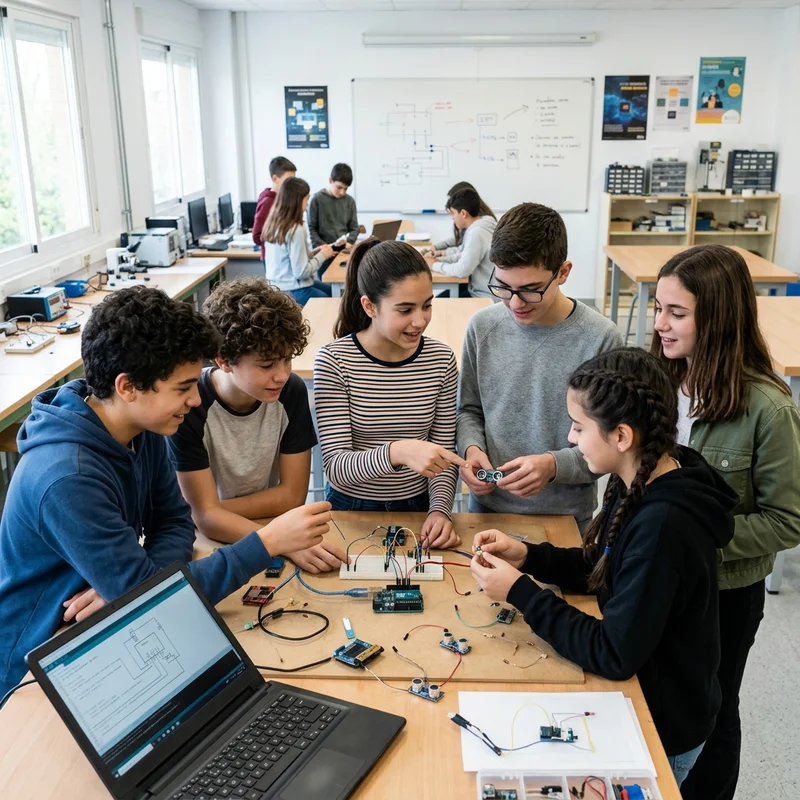
Arduino teaches you real electronics. The BBC micro:bit is the simplest way into programming. The ESP32 is the chip that actually connects your project to the internet. Each one wins on different ground, and the right choice depends on what you want your students to learn this week, not on which one sounds best in the catalogue.
Arduino, for understanding real electronics
Arduino remains the starting point for almost any technology teacher. The Arduino UNO R3, the most used and documented board in the family, is built around an ATmega328P with 14 digital pins and 6 analogue pins, runs at 16 MHz and has no WiFi or Bluetooth out of the box. Its community is huge, there are tutorials for almost any sensor you can think of, and building a circuit with Arduino forces students to understand what every wire actually does.
Arduino also has its own ecosystem: the official IDE, thousands of third-party libraries, shields for nearly any function. What it doesn't solve out of the box is connectivity. If a project needs to send environmental data anywhere, you need a separate WiFi module and hours of wiring that don't always fit into a 50-minute lesson.
Arduino UNO R3 specifications
| Specification | Value |
|---|
| Microcontroller | ATmega328P |
| Digital pins | 14 (6 with PWM) |
| Analogue inputs | 6 |
| Clock speed | 16 MHz |
| EEPROM memory | 1 KB |
| Wireless connectivity | None out of the box |
| Power supply | USB, AC-DC adapter or 9V battery |
| Replaceable chip | Yes, it isn't soldered to the board |
micro:bit, the simplest way into programming
The BBC micro:bit solved something Arduino never solved well: how to teach an 8-year-old to code without a syntax error putting them off in the first minute. With the MakeCode block editor, chaining logic together is almost instant, and it comes with a built-in accelerometer, magnetometer, microphone and a 25-LED matrix ready to experiment with straight away.
Where it falls short is sustained environmental data projects. It has no WiFi of its own, and while it does have Bluetooth, that's built for one-off interactions, not for a sensor sending humidity readings for days on end. Its temperature sensor, too, sits inside the chip itself: it gives a reasonable estimate, with an uncalibrated margin of several degrees, the same kind of honesty we apply to the P-Bit further down.
BBC micro:bit v2 specifications
| Specification | Value |
|---|
| Processor | Nordic nRF52833, ARM Cortex-M4 |
| Clock speed | 64 MHz |
| RAM | 128 KB |
| Flash memory | 512 KB |
| GPIO pins | 19 assignable |
| Built-in sensors | Accelerometer + magnetometer (3-axis), microphone, internal temperature, light (via the LED matrix) |
| Display | 25-LED matrix (5×5) |
| Wireless connectivity | Bluetooth 5.1 (BLE) + proprietary 2.4 GHz radio |
| Power supply | USB (5V) or 3V battery via JST connector |
ESP32, the real power behind the Internet of Things
The Espressif ESP32 is, in practice, the chip that makes most of today's educational IoT possible: built-in WiFi and Bluetooth, two cores, and a price that's still low for what it offers. If a project needs to upload data to a server in real time, this is where the real power is.
The price you pay is the learning curve. A bare ESP32 comes with no sensors and no screen. You need to solder, wire and write C++ from day one, reasonable for a technology teacher with an engineering background, and rather less reasonable for someone teaching Biology or Geography who just wants their students to measure the humidity in the playground.
ESP32 chip specifications
| Specification | Value |
|---|
| Core | 32-bit Xtensa, dual-core |
| Clock speed | Up to 240 MHz |
| RAM (SRAM) | 520 KB |
| Flash memory | 4-16 MB depending on the module |
| GPIO pins | Up to 34 |
| Wireless connectivity | WiFi 802.11 + Bluetooth (hybrid chip) |
| Operating temperature range | -40°C to +125°C (industrial use) |
Why the Internet of Things matters in the classroom
A sensor that only shows a number on a screen teaches you to read a piece of data. A sensor that uploads that data to the internet teaches something different: that information can be compared, shared and used to decide something, not just looked at once and forgotten. That's the real difference between Arduino or micro:bit and a WiFi-equipped chip like the ESP32. It isn't just more technology. It's the possibility that two classrooms in different cities compare their humidity data on the same day and ask themselves why they're different.
The Internet of Things isn't an abstract concept for students who already use it without realising: the thermostat at home, a family member's smartwatch, the car's app. Teaching with a real IoT device, not a simulation, means teaching the infrastructure that's already part of their daily life.
Why coding matters, and why sometimes it doesn't need to
Writing code isn't the goal of a science or geography lesson, even if it's the natural goal of a technology lesson. That's the real tension between these three platforms. Arduino and a bare ESP32 demand coding from the very first minute, in C++, with no shortcuts. micro:bit solves this with visual blocks, but limits what you can do with that data once it's collected.
Computational thinking (understanding what a condition, a loop, a variable is) is a real digital competency under LOMLOE, and block-based coding already builds it without needing to write syntax. The question every teacher needs to ask isn't "should my students code?" but "does this specific lesson need them to code, or does it need them to measure?" Those are two different goals, and confusing them is why some technology projects end up unused.
Where the P-Bit fits in
The P-Bit is built on an ESP32. It isn't a fourth alternative competing with the three above, it's the answer to a specific problem: how to get the connectivity of an ESP32 without losing an entire lesson to soldering.
It ships with temperature, air humidity, light, sound and soil moisture already integrated into a single device, runs on batteries (it also accepts USB, though that isn't the usual way to use it in the classroom), and the data appears on its own screen the moment you switch it on. The only physical control is a rotary dial, so a primary school student doesn't need to write a single line of code to see a number change when they blow on the sensor. The press has compared it to a Game Boy with sensors, and the comparison isn't far off: the casing is 3D-printed and fits in one hand.
Unlike Arduino and micro:bit, where every extra sensor is another component and another set of wires, the P-Bit brings all of it on a single board. And for anyone who wants to go further, the board's I2C bus is exposed for connecting additional sensors without replacing the device.
The data has educational precision, not laboratory precision. It's good enough for a group to compare the humidity by the window with the humidity at the back of the room, not to publish a scientific study, and that's fine: that's what it's designed for.
There's an ecosystem around it too, just as there is around Arduino or micro:bit, but built specifically for environmental data: P-Blocks (a browser-based block editor that generates real C++ and uploads it over Bluetooth, included with the device), a dashboard for viewing the data from several classroom P-Bits at once, and generation of LOMLOE-aligned learning activities.
Quick comparison
| Specification | Arduino UNO R3 | BBC micro:bit v2 | ESP32 (bare chip) | P-Bit |
|---|
| Processor | ATmega328P (8-bit) | Nordic nRF52833 (ARM Cortex-M4) | Xtensa, dual-core | ESP32 (same chip) |
| Clock speed | 16 MHz | 64 MHz | Up to 240 MHz | Up to 240 MHz |
| Wireless connectivity | None out of the box | Bluetooth 5.1 (BLE) | WiFi + Bluetooth | BLE (off by default) |
| Built-in environmental sensors | None | Only internal chip temperature, not dedicated environmental sensing | None, it's a bare chip | Temperature, humidity, light, sound, soil moisture |
| Built-in display | No | 25-LED matrix | No | 160×128 px colour TFT |
| How it's programmed | C++ from the first moment | Blocks (MakeCode) or Python | C++ from the first moment | No coding required; optional blocks with P-Blocks |
| Requires soldering external sensors | Yes, for any sensor | Only beyond the built-in ones | Yes, for any sensor | No |
Frequently asked questions
Do I need to know how to code to use the P-Bit?
No. The P-Bit ships with its own firmware: switch it on and it measures temperature, humidity, light, sound and soil moisture, showing the data on its screen without a single line of code. Programming it with P-Blocks is an optional step for when the class wants to go further.
Which of the three platforms is best for starting out in primary school?
For primary school, micro:bit and P-Bit are the more sensible starting points: both work without writing code from the very first moment. Arduino, with its focus on C++ from minute one, fits better from secondary school onwards.
Can the P-Bit take additional sensors beyond the ones it ships with?
The board exposes an I2C bus for exactly that, although the current firmware doesn't use it yet. It's a real expansion path, already present on the board, ready for when it's activated.
Is the code P-Blocks generates real, or a simulation?
It's real, editable Arduino C++, not an educational simulation. Every block you drag translates in real time into the void loop() function that would run on any Arduino board, and that code is compiled and uploaded to the P-Bit over Bluetooth.
Can I get the same result with a bare ESP32 instead of a P-Bit?
Technically yes, the P-Bit is built on the same chip. The difference is classroom time: with a bare ESP32 you have to solder each sensor, sort out the wiring and write the firmware from scratch. The P-Bit arrives with all of that already solved.
The question isn't which of the four options is best. Arduino teaches electronics. micro:bit teaches coding without fear. The ESP32 puts real connectivity power on the table. And the P-Bit brings that same power together with the sensors, the screen and the option to code, already integrated, for the class that wants to start with environmental data on Monday morning.
Ready to bring this technology to your students?
Discover the complete kit built for the classroom.
View P-Bit Specifications