An editor designed for the classroom, not for engineers.
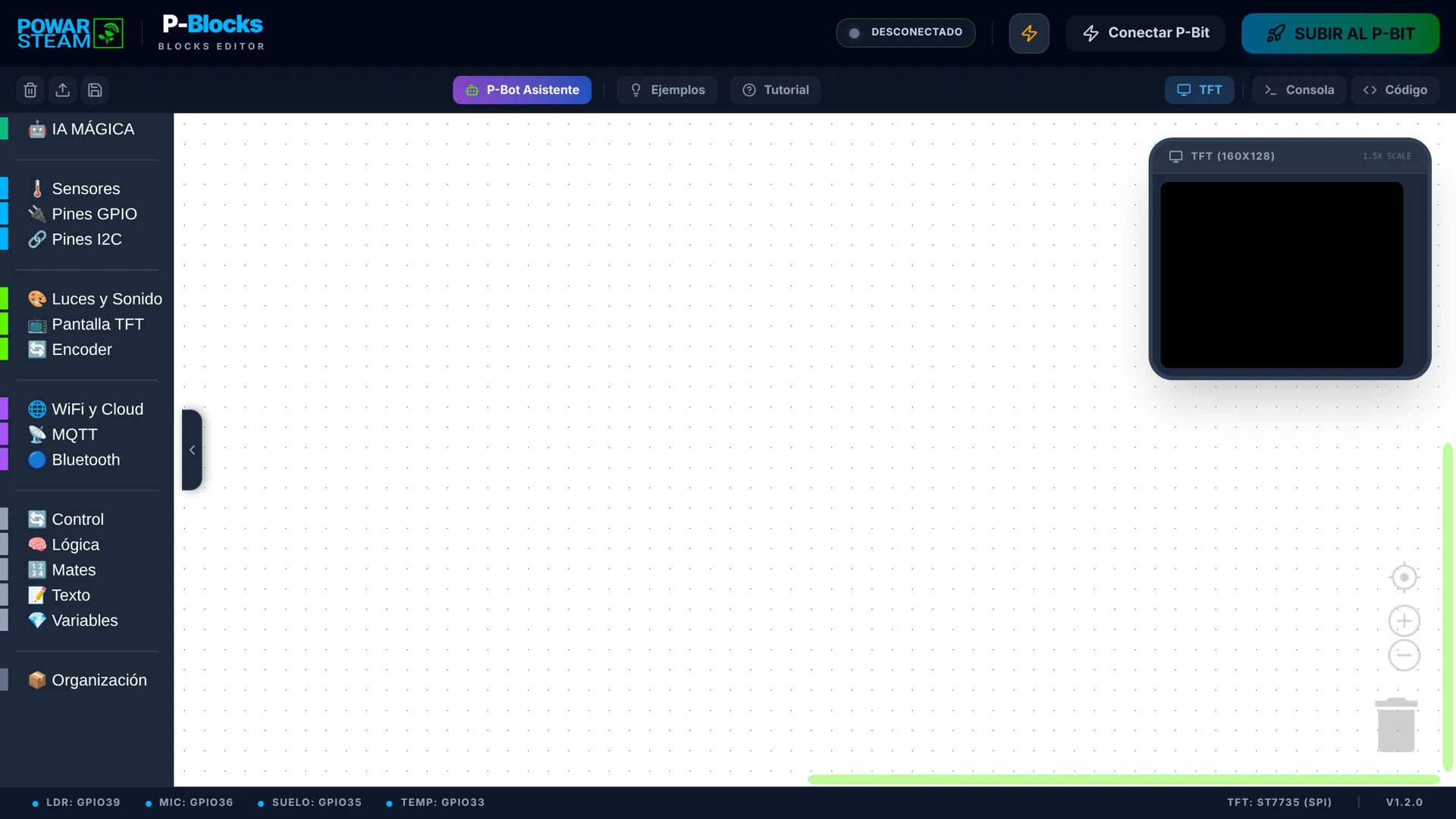
P-Blocks opens in the browser, with nothing to install and no admin permissions to request. On the left, 16 colour-coded block categories; in the middle, the canvas where they snap together; on the right, a simulator of the P-Bit screen to see the result before touching the device. The bottom bar shows which pin each sensor uses.
Runs in the browser
USB connection from Chrome
16 block categories
Screen simulator
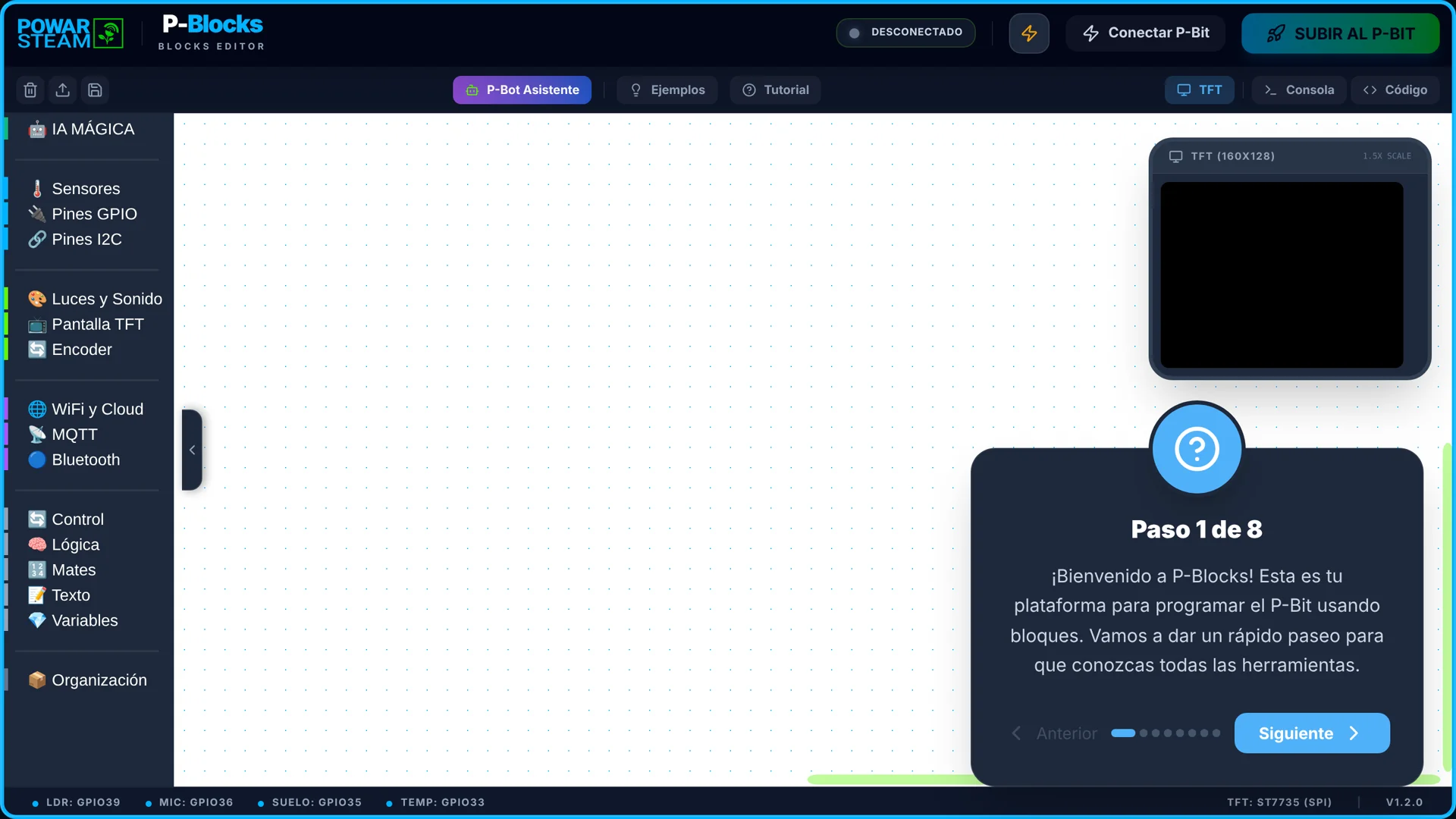
An 8-step tutorial inside the editor itself.
The built-in tutorial walks through the interface in 8 steps and points out each part: it starts with the block menu and ends with the "Subir al P-Bit" (Upload to P-Bit) button, where it explains that the code is compiled in the cloud and written to the device. No extra material is needed for the first session.
8 guided steps
Built into the interface
Cloud compilation
Six examples that work from minute one.
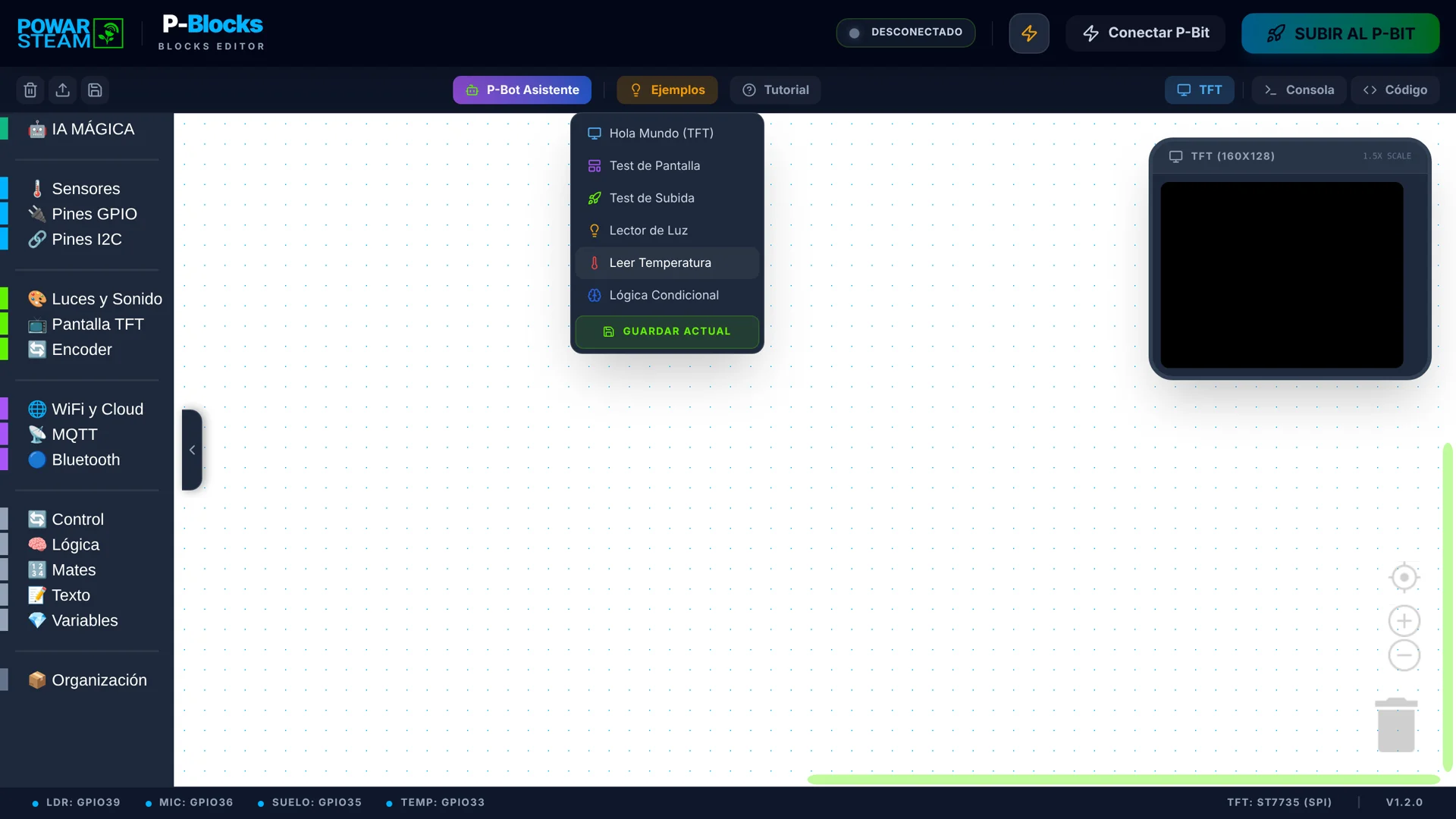
The examples menu instantly loads Hello World, Screen Test, Upload Test, Light Reader, Read Temperature and Conditional Logic. Pupils load one, study it, change it and upload it, without starting from scratch. Their own projects are saved as a file on the computer and opened again whenever needed.
6 examples included
Change them instantly
Save your projects
Every P-Bit sensor has its own block. No pin configuration.
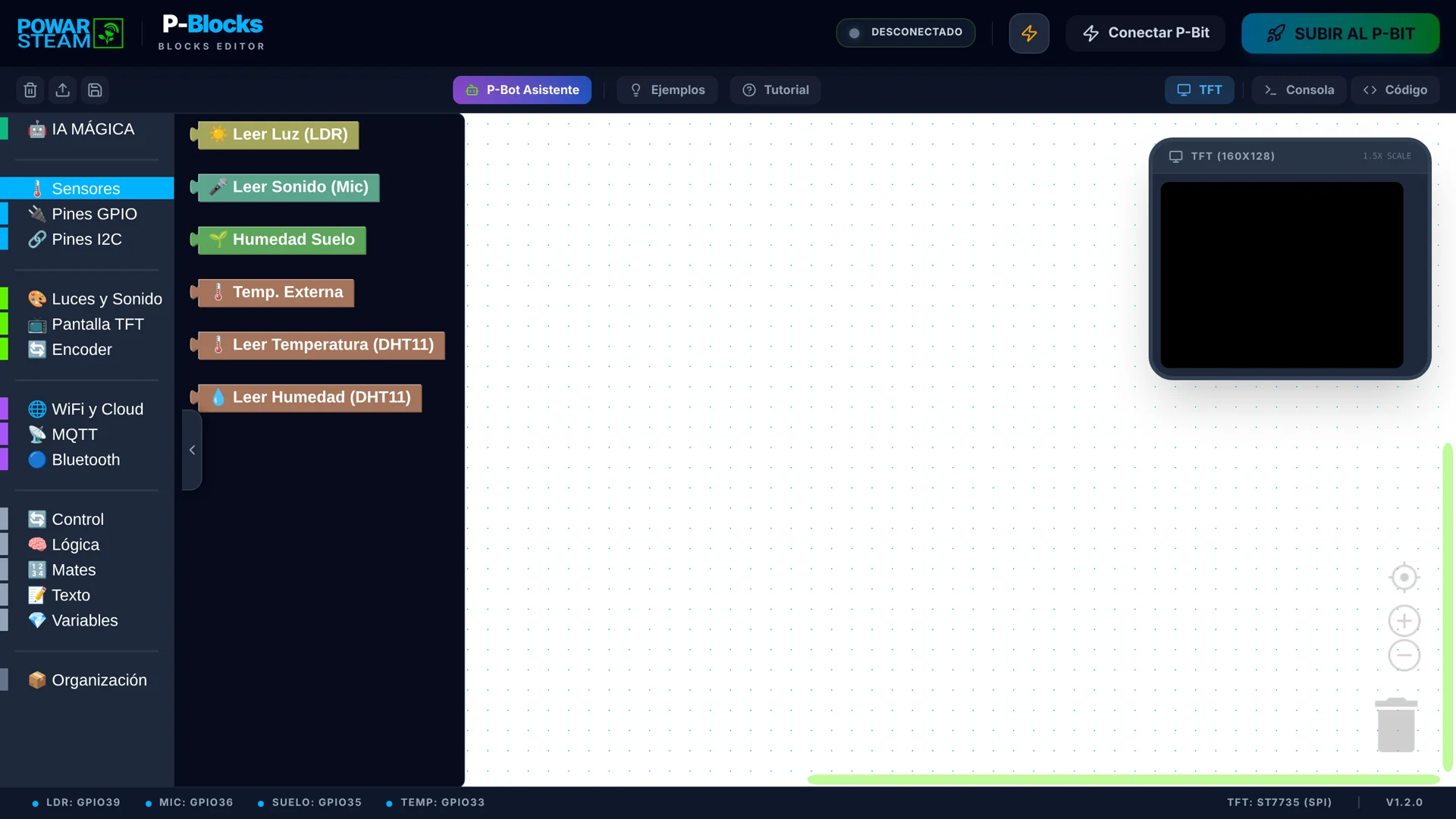
The Sensors category holds six reading blocks: light (LDR), sound (microphone), soil moisture, external temperature, and DHT11 temperature and humidity. Pupils do not need to know which pin to read or how to start the sensor: the block handles it internally.
6 reading blocks
No pin configuration
Built for the P-Bit
What you program is what you see. The simulator shows the P-Bit screen.
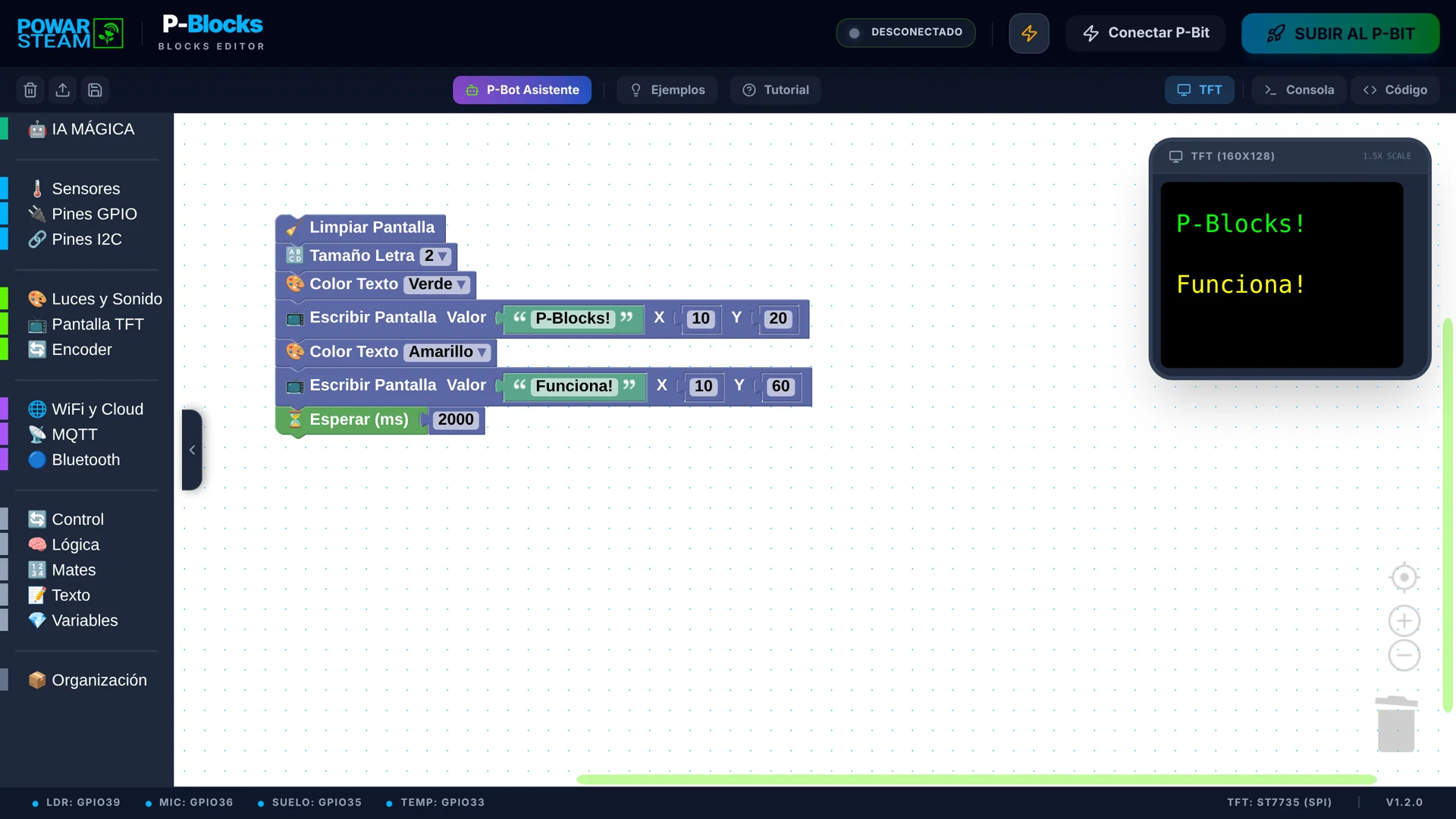
The simulator recreates the P-Bit's 160×128-pixel screen in the browser: text, colours, lines and shapes. In the "Screen Test" example, two blocks write "P-Blocks!" in green and "Funciona!" in yellow, each at its own X/Y position. Without a P-Bit connected, sensors return sample values: the simulator is for checking the screen, not for measuring.
160×128 px screen
Text, colours and shapes
X/Y position
Every block becomes Arduino C++. The ramp to written code.
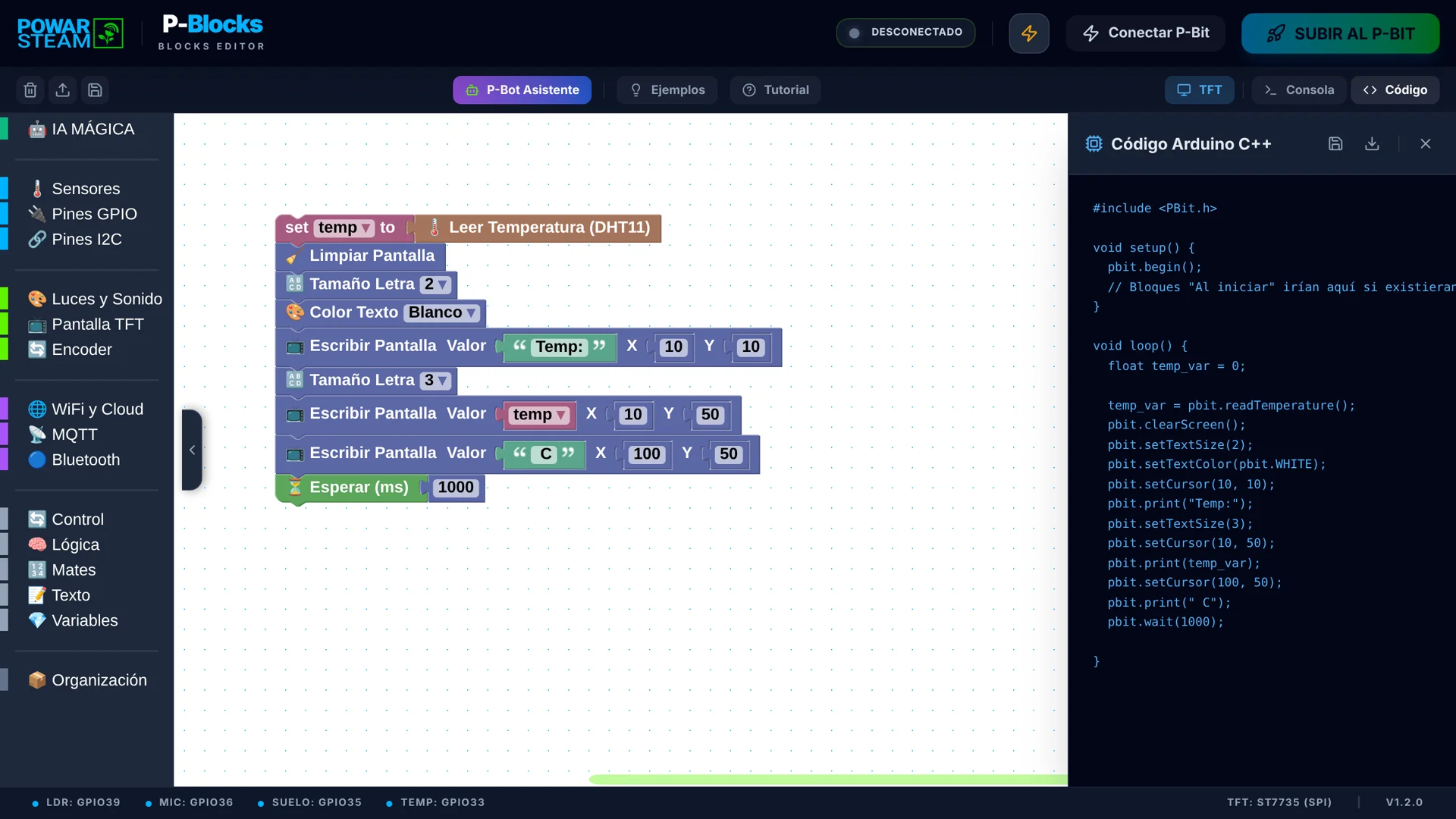
The Code panel shows, in real time, the Arduino C++ the blocks generate, with calls to the P-Bit library (pbit.readTemperature(), pbit.print()…). It can be copied or downloaded. Pupils see that each block is a real instruction and can move on to code when they are ready.
Real-time Arduino C++
Copy and download
Compiled and uploaded to the P-Bit
From the classroom to the internet: MQTT and Wi-Fi blocks.
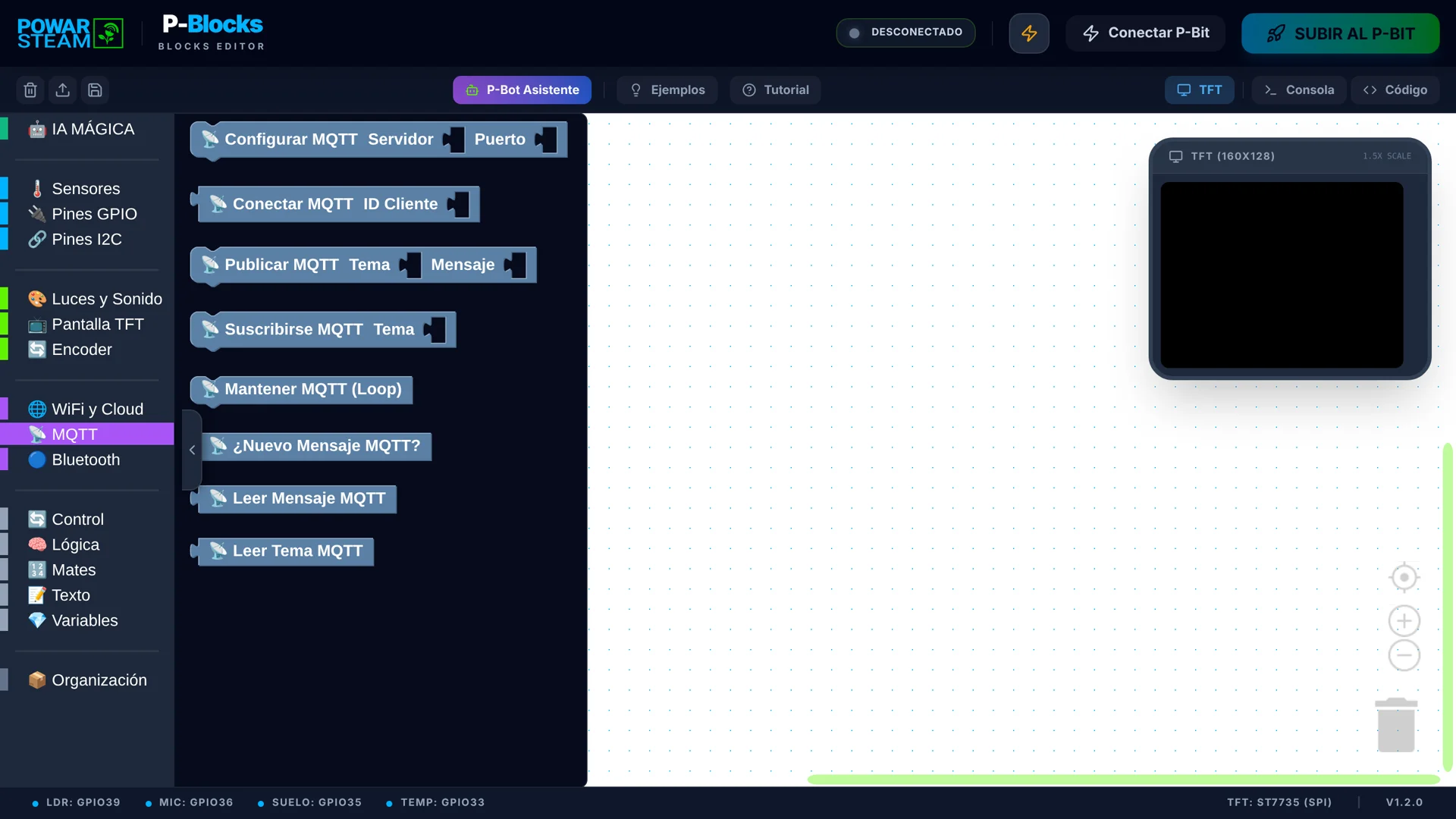
As well as measuring, the P-Bit can communicate. The MQTT blocks set up the server, connect the P-Bit, publish messages to a topic, subscribe and read what arrives. Together with the Wi-Fi and Cloud and Bluetooth categories, they are the basis for IoT projects that take data beyond the classroom.
MQTT and Wi-Fi
Publish and subscribe
IoT projects
A console to see what is happening at every moment.
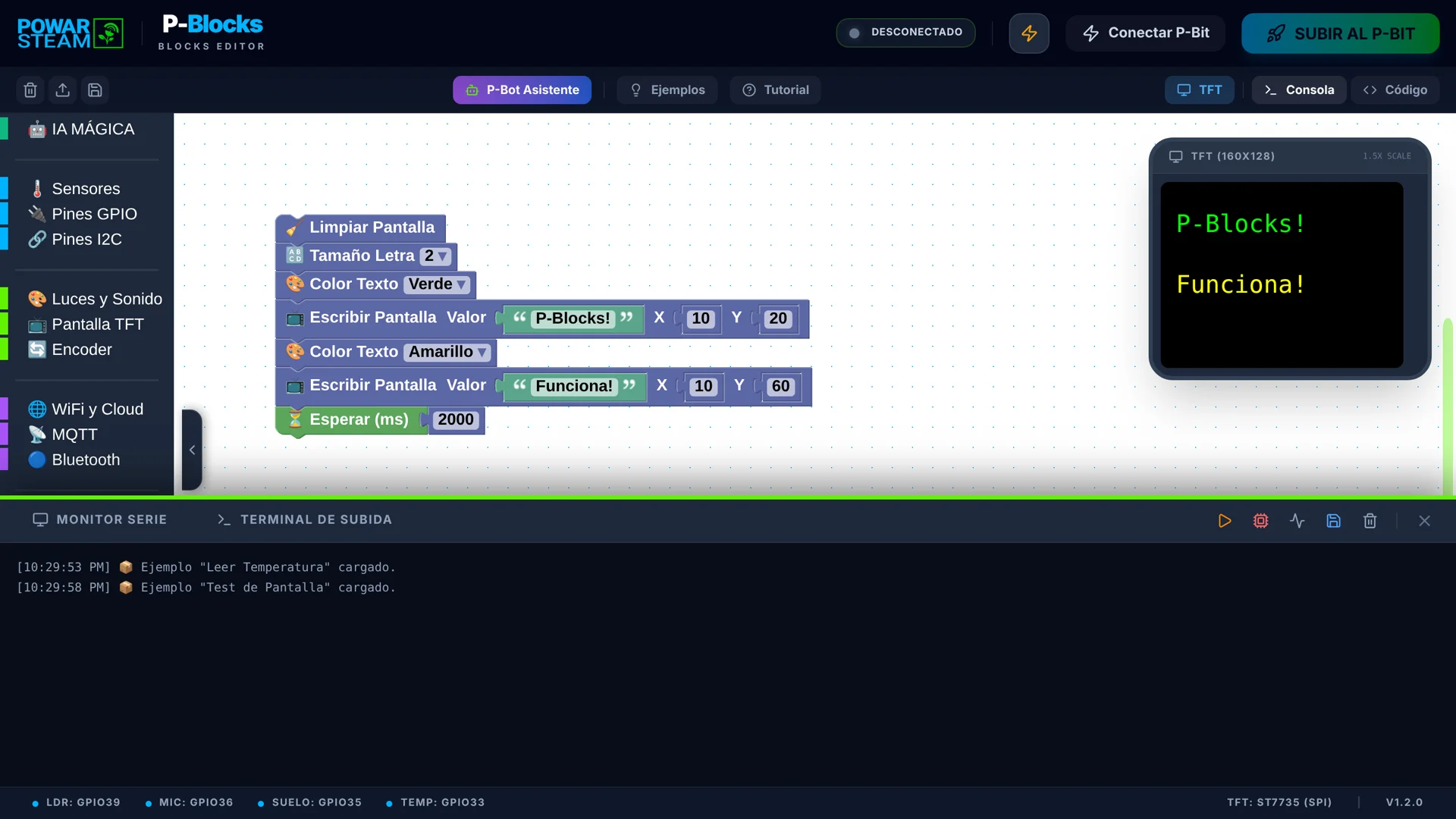
The console has two tabs: the serial monitor, which shows messages from the connected P-Bit, and the upload terminal, to follow the program upload. It also logs every editor action, such as the examples that are loaded.
Serial monitor
Upload terminal
Action log
P-Bot: an AI assistant that turns an idea into blocks.
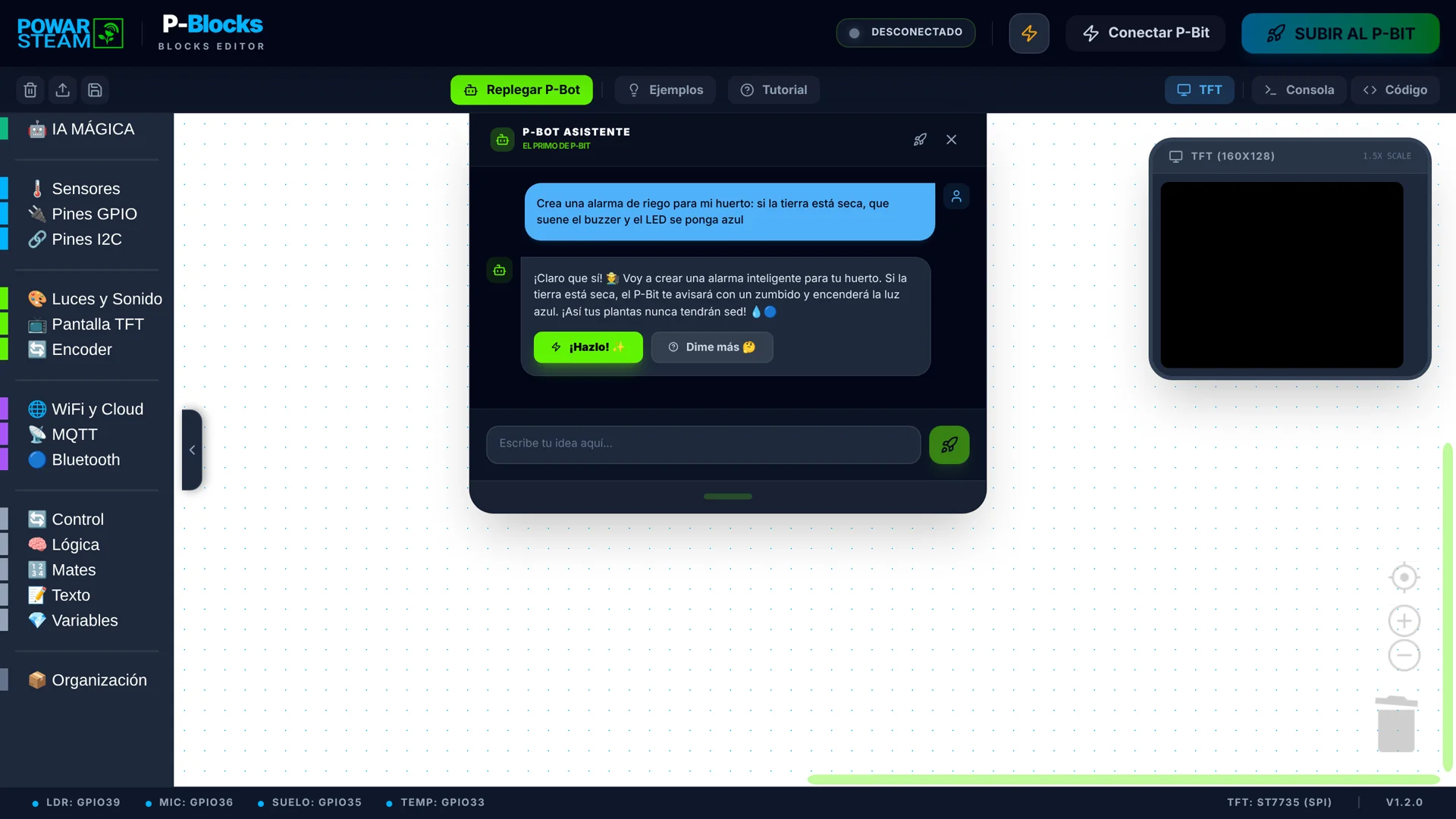
You type an idea in everyday words and P-Bot replies with a plan. In our test we asked it, in Spanish, to "create a watering alarm for my vegetable garden: if the soil is dry, sound the buzzer and turn the LED blue". It answered, explained what it would do and offered two buttons: "¡Hazlo!" (Do it!) to build the blocks and "Dime más" (Tell me more) for more detail. Like any AI, it does not always answer the same way.
AI assistant
Natural language
Designed for the classroom
P-Bot builds the blocks and explains the logic step by step.
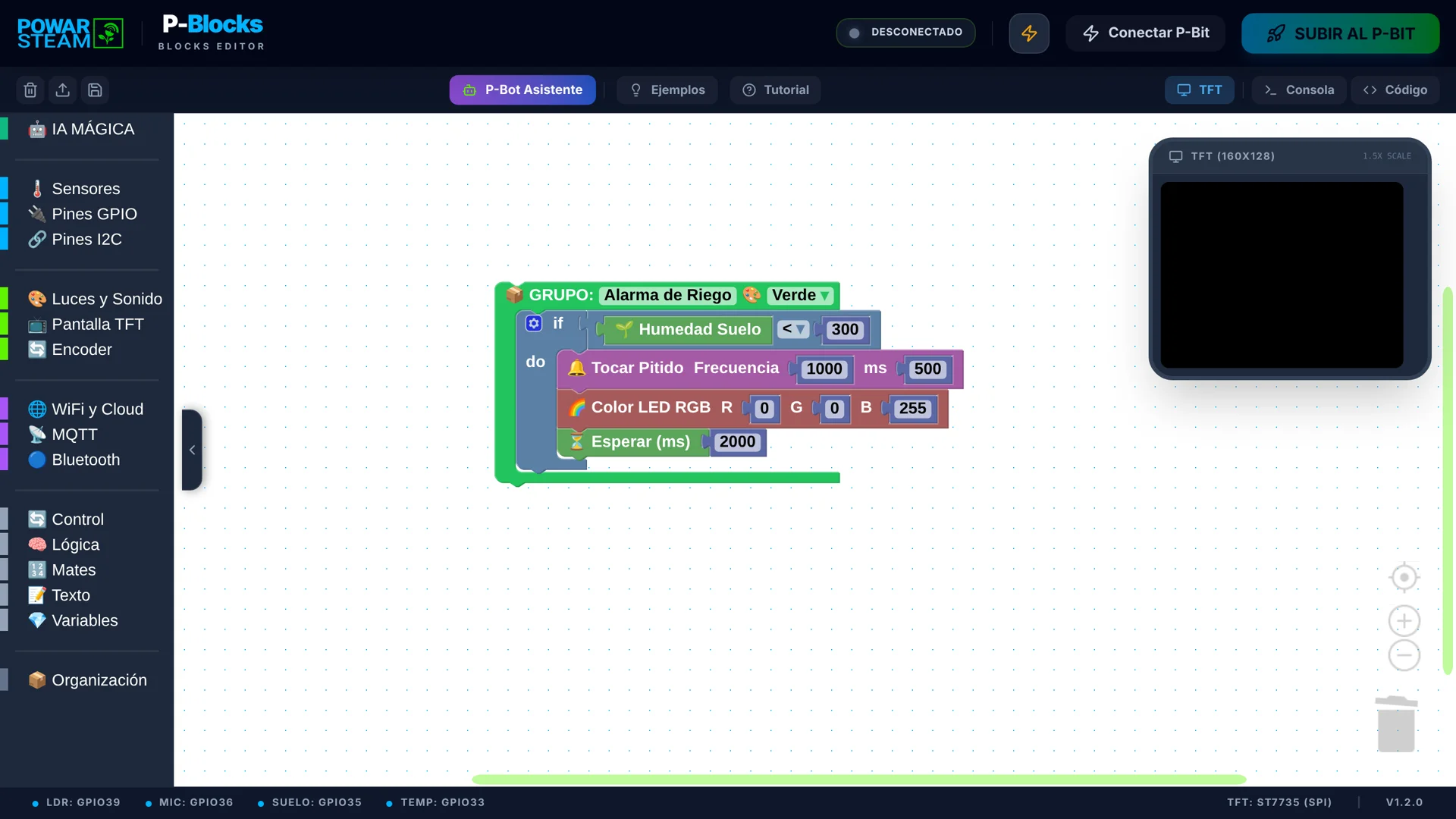
After pressing "¡Hazlo!" (Do it!), P-Bot built a "Watering Alarm" group: if soil moisture drops below 300, the P-Bit beeps and the LED turns blue, then it waits two seconds before checking again. It then explained each block and warned that the threshold depends on the sensor, advising pupils to adjust the number if their sensor uses another scale. Pupils review the logic, adjust it and only then upload it to the P-Bit.
Blocks built by P-Bot
Explains every block
Pupils adjust the threshold